
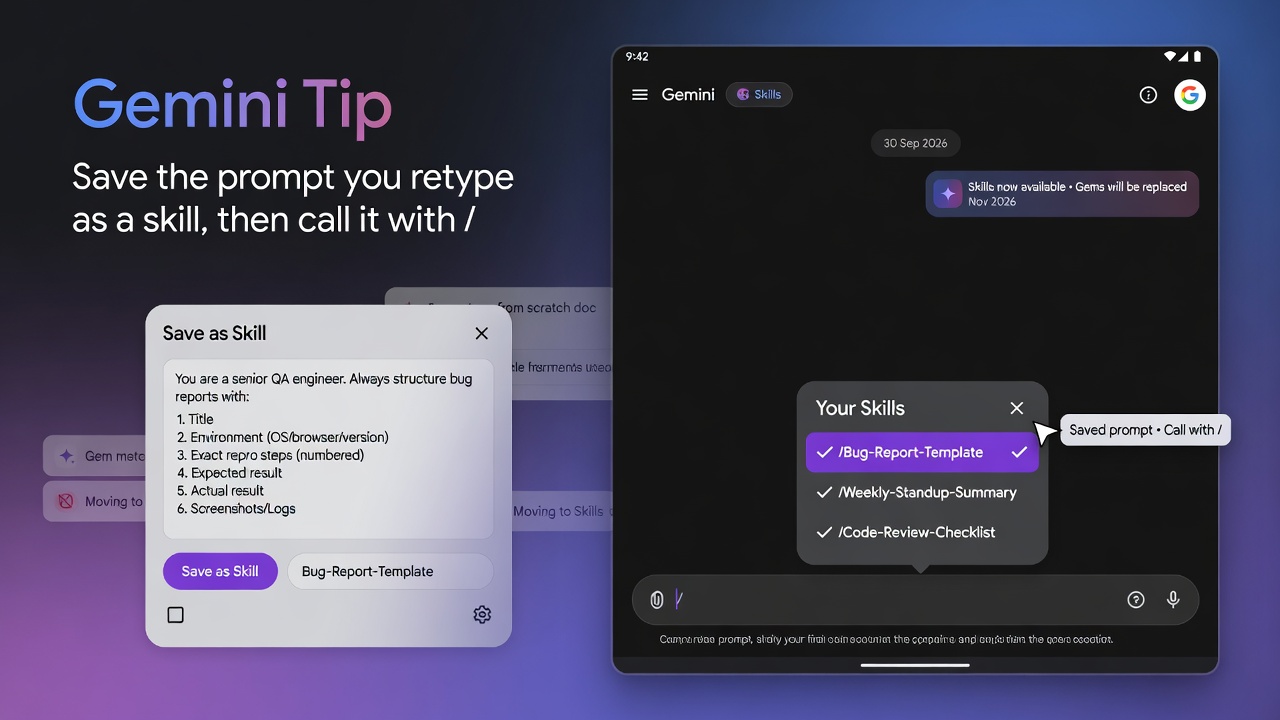
At a glance
Gemini Tip- Skills started rolling out in the Gemini app on 30 September 2026, gradually, for personal Google Accounts held by people 18 or over. Work and school accounts are not supported yet, so you may not see Skills in Settings today.
- Once you have it, save a prompt you keep retyping as a skill, then type
/in the prompt bar and pick it. - Gems still work for now. Google says skills will replace them, with removal in November 2026 for personal accounts.
A skill is a saved set of instructions in the Gemini app that you call by typing / and picking it from the list, so you stop pasting the same brief into every chat. The prompt you trust usually lives in a scratch doc. You paste a bug-report shape into gemini.google.com, the paste drifts, and one chat asks for repro steps while the next forgets the expected result.
Why it matters
Gems still work for now, but Google will remove support for them in stages: November 2026 for personal accounts, March 2027 for business, enterprise and nonprofit accounts, and June 2027 for education. Workspace Updates says the 2027 dates are “no sooner than”. Google says it will recreate your Gems as skills automatically when they go away, or you can recreate one sooner by hand.
How to save the prompt as a skill
Help says you must be 18 or over, signed in with a personal Google Account, and have Keep Activity on, and that skills are in gradual rollout, so your account may not have the Skills page yet. Help names the Gemini mobile app, the Gemini app on Mac and gemini.google.com as the places skills work for now, and does not list the Windows app.
- On a computer, go to gemini.google.com, or open the Gemini app on a Mac.
- On the sidebar, click Settings, then Skills.
- At the top, click Create manually. The other routes are Create with Gemini, a template under Recommended, and Upload for a
SKILL.mdfile, folder or .zip. - Enter a name, a description and instructions, using the example below as three separate fields. The name must be lowercase words joined by hyphens.
- At the top, click Create.
This is an example to adapt, not a Google template.
The description matters most. Google says Gemini checks a skill’s name and its one or two sentence description to decide whether the skill is relevant, so a generic description may mean it does not run when you need it.
To try it, open a new chat, type /, and select write-bug-from-notes. Paste a short failing note that leaves out the expected result, and the reply should ask for it or write Unknown. Gemini can also apply a skill by itself when your prompt matches its description.
Gotchas
- If the skill is missing from the list, open Settings, then Skills, click the skill, and use the More menu to check it is activated.
- The transition page says the slash is “soon to be”
@, so the trigger key may change. - Skills in the Gemini app and skills in Workspace do not sync, so a skill made at gemini.google.com will not appear in Workspace apps until you create it there too. Workspace Updates gives 5 October 2026 (Rapid Release) and 19 October (Scheduled Release) for Workspace, with completion by mid-November.
- Help lists two known issues: manually created skills will not save in the mobile app, so create them on the web, and skills with uploaded files cannot be edited in the mobile app or the Mac app. Skills also do not yet work with Canvas or Deep research.
Recommended AI prompt
Copy this paragraph into ChatGPT, Claude, Gemini, Grok, or whatever AI you use.
Help me turn a prompt I keep retyping into a Gemini app skill, for example turning rough notes into a bug report. Ask me what the task is and what a good result looks like, then give me three labelled fields I can paste into Create manually: a name in lowercase words joined by hyphens, a description of one or two sentences in the third person that says what the skill does and ends with a Use when clause naming the exact situations, and instructions covering the steps, the output format, and what to do when information is missing. Keep the instructions short, do not invent details I did not give you, and show me one sample output before you finish.
Sources
- Gemini Apps release notes, 30 September 2026
- Let skills in Gemini tackle your most repetitive tasks
- About the transition from Gems to skills
- Introducing skills in the Gemini app and Workspace
- Create and manage skills for Gemini Apps
- Write effective skills for Gemini Apps
- Create and manage skills for Gemini Apps
- About the transition from Gems to skills
- Introducing skills in the Gemini app and Workspace
Recommended AI prompt
Explore each Top Story in Grok. Links open in a new tab. On phones, the same link may open the Grok app if you have it installed (via your device's normal link handling).
Article: Gemini Skills Replace Gems and Turn Repeated Prompts Into Slash Commands
Privacy: links open grok.com in your session only. AIDevPulse does not run your prompts through our API.